An example of one day with three different totals.
Three reasons for a different number
1. Timing
Steps reach Apple Health in batches, and the Apple Watch passes its data on with a delay. Two apps opened one minute apart can show different numbers, and both can be right for their moment.
2. A different way to combine devices
When iPhone and Apple Watch record the same part of the day, Apple Health keeps one source. Some apps use that total as it is. Others make their own decision about which device to trust for each part of the day. Two examples:
- Pedometer++ merges step data from Apple Health with its own algorithm.
- StepsApp combines iPhone and Watch steps only when its Apple Health Sync is switched on.
3. Steps that only one of them sees
Steps you typed into Health by hand, or steps written by another device, appear in Health’s total. An app that counts with the iPhone’s step counter does not see them.
How to find out which reason it is
- Open both apps at the same moment, after the iPhone has been unlocked for a minute. If the numbers now agree, it was timing.
- Compare a day from last week. Old days have all their data. If they still differ, the apps combine devices differently.
- Look at the sources in the Health app (Browse, Activity, Steps, Data Sources & Access). Steps typed in by hand or written by a third device explain the rest.
Which of the totals is right?
For a comparison over months, it matters less which number you use than that you always use the same one. If you want one number that everything agrees on, use the Health app’s total: every app can read it.
What Stridune does
You choose between two counting methods in Settings, under “Data, backup and export”:
The default
Apple Health total
Matches the Health app exactly.
For Apple Watch wearers
Optimized merging
Takes the device that counted more for each short stretch of the day. Never below the Health total, and usually close to other apps that combine devices.
The two counting methods, with an example day
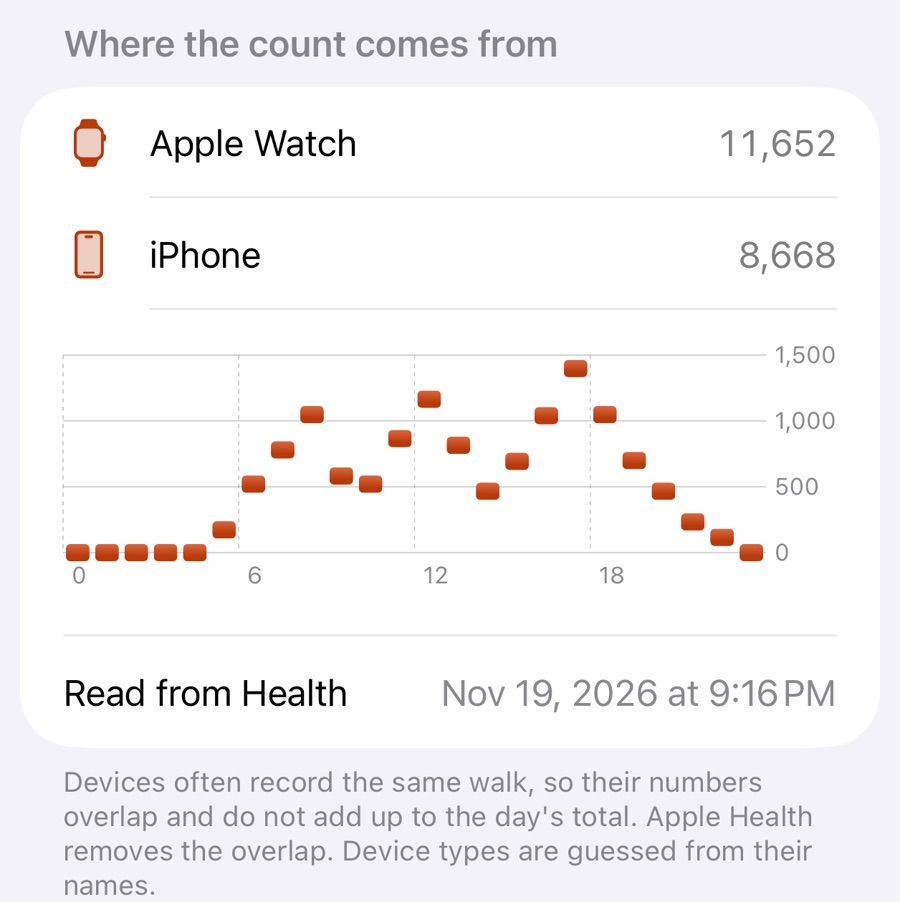
Each day shows where its count comes from, so a difference can be explained and does not have to be guessed.
Sources, read on 19 November 2026: pedometer.app/faq; steps.app support, “How does StepsApp count my steps” and “What is the difference between Apple sync and import”; support.apple.com/en-us/108779.